WebStorm Archives ⋆ Page 2 of 2 ⋆ Bossable
  • Latest
  • Store
  • Mean Stack
  • 30 Day MEAN Stack Challenge
  • Web Apps
  • Tech
  • Say Hello
Home \ Tag "WebStorm" (Page 2)

WebStorm

Date Title Views Comments
  • Date
  • Title
  • Views
  • Comments

MEAN Stack – Listing Customers with AngularJS & Bootstrap – Day 17

1323 1

In this video we’ll use Angular directives and Bootstrap plus a bit of CSS to begin to format our List Customers Page. During the video, we also have a look at Angular Filters and a reference to the Angular documentation for Filters.

We look at:
– Setting up the List Customers Page
– An introduction to Angular Filters
– AngularJS Documentation for Filters on the angular.org website.
– Using population to display the name of the user who created a Customer record
– Using Bootstrap and Angular to format our List of Customers
– Using Bootstrap columns to display differently depending on the device used
– Using CSS to style our User icons

MEAN Stack – Using an AngularJS UI Modal to Update Customers – Day 19

1936 0

In this video we go through an introduction to using Angular UI, and using Angular UI directives in place of Bootstrap JavaScript components. We also start to set-up our ‘Update Customer’ Modal window.

We look at:
– Using Angular UI Bootstrap for JavaScript Bootstrap components
– When custom directives would be used to include vanilla JavaScript to an Angular App
– An Introduction to Angular UI: http://angular-ui.github.io/bootstrap/
– Working through an example of Angular UI for modal windows
– How the Angular UI modal examples ties back to the example code
– Including Angular UI model code back in our app to create an Update Customer Modal

MEAN Stack – MongoDB Queries & AngularJS Scope – Day 15

1882 0

In this video we’ll take a detailed look the query functionality used to return a list of customers from MongoDB to the Angular scope. We’ll also look at how to display the returned data on the List Customers Page.

We look at:
– The List Customers Page that was created from the Yeoman Generator
– The use of the data-ng-init directive
– The workings behind the find() function
– The working behind the Customers.query and how it maps up to search the MongoDB
– Following through the query function from the Angular controller and through to the router and the customer.server.controller
– The mongoose code that is used to query MongoDB to return a list of customers
– Finding query documentation on the MongoDB website
– Using the AngularJS Batarang Plugin to look at the Customer data on the List Customers Page
– The syntax used to display data from the Angular Customers scope on the List Customers Page

MEAN Stack – AngularJS Models in Bootstrap Forms – Day 12

1961 0

In this video we’ll take the changes that we’ve made to the Angular Customers controller, and start mapping the Angular Model to the Create Customer Page. We also begin to style our Create Customer Page based on our Wireframes.

We look at:
– The Yo generated Create Customer Page, and how we find it using the Angular Routes
– Why the page wouldn’t work because we removed the ‘name’ field from our Schema
– Identify the required bootstrap grid based on our wireframes
– Begin to style the Create Customer Page based on our wireframes
– Some tips and tricks on styling Bootstrap for mobile devices
– We map the Angular customer model to our inputs

MEAN Stack – Express.js & Client-side Assets – Day 29

1157 0

In this video we’ll look at express.js, and how it hooks together the back-end of our MEAN app. We’ll also look at setting up client side CSS and JS assets for our app, both core and minified versions.

We look at:
– Expressjs.com documents and key pages to start with
– The different packages that make up the express portion of the MEAN Stack
– The Server.js file, and how it is used to connect off to a number of other files that run our app
– The Express.js file, and how different elements of the app files are loaded and used by Express.
– The environment files that are used to load CSS and JS assets for our app
– Loading core and minified files as assets for our app
– Loading assets and connecting to MongoDB in a production environment
MEAN Stack – Responsive Bootstrap Login Forms – Day 6

2265 0

In this video we’ll look at changing the MEAN App Login Page, and start to get it to look like our Login page Wireframe.
We look at:
– The MEAN Stack Sign-in page
– The process for changing the details on the sign-in page
– Introduction to Bootstrap Input Groups
– Introduction to Bootstrap Form Groups and Button layouts

MEAN Stack – Deploy to Nodejitsu

483 0

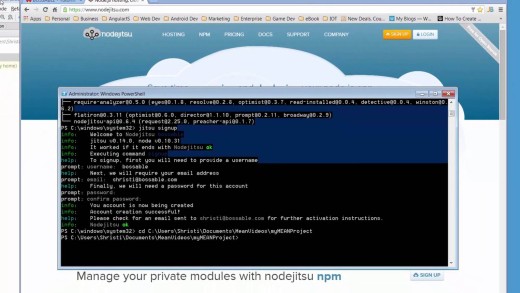
In this video we’ll deploy our app to Nodejitsu. Installing the npm package ‘jitsu’, Using the jitsu package, Updating our package.json file for Nodejitsu

Overview of the MEAN Stack App Structure Day 1

5228 0

An overview of the key files and folders in the MEAN Stack App Structure. What is the mean stack? What’s in folders like: Public, App, Config, Node_Modules?

Bossable - From idea to boss, with fun and friendly tutorials and videos
  • © Bossable 2015
  • Tech
  • Mean Stack
  • Contact Us
  • Privacy
  • Terms
  • Close
  • Latest
  • Store
  • Mean Stack
  • 30 Day MEAN Stack Challenge
  • Web Apps
  • Tech
  • Say Hello