WebStorm Archives ⋆ Page 2 of 2 ⋆ Bossable
  • Latest
  • Store
  • Mean Stack
  • 30 Day MEAN Stack Challenge
  • Web Apps
  • Tech
  • Say Hello
Home \ Tag "WebStorm" (Page 2)

WebStorm

Date Title Views Comments
  • Date
  • Title
  • Views
  • Comments

MEAN Stack – Listing Customers with AngularJS & Bootstrap – Day 17

1323 1

In this video we’ll use Angular directives and Bootstrap plus a bit of CSS to begin to format our List Customers Page. During the video, we also have a look at Angular Filters and a reference to the Angular documentation for Filters.

We look at:
– Setting up the List Customers Page
– An introduction to Angular Filters
– AngularJS Documentation for Filters on the angular.org website.
– Using population to display the name of the user who created a Customer record
– Using Bootstrap and Angular to format our List of Customers
– Using Bootstrap columns to display differently depending on the device used
– Using CSS to style our User icons

MEAN Stack – Customer Search using AngularJS Filters – Day 18

1298 3

In this video we’ll add a search input and new customer button to our List Customers Page. We’ll also use AngularJS Filters to connect our search input to our list of customers, to let us filter through our list of customers.

We look at:
– Continuing to set up the List Customers Page
– Determining the grid layout for mobile vs. larger devices
– Using col-xs and col-sm to change grid sizes based on device size
– Finding and using Bootstrap classes for input-groups for our search bar
– Adjusting the size of input-groups and buttons to align to the wireframe
– Connecting the search input to the list of customers
– Finding Angular Filter documentation on the AngularJS website
– Using Angular Filter syntax to add filtering functionality to our app
– Adding place-holder text to our Search input

Add an AngularJS module to your MEAN Stack App

1273 4

I’ve been getting a few questions on how to go about adding external/custom modules to a MEAN Stack app. If the module is vanilla JavaScript, it’ll need some additional work to create one or more directives, but assuming you have an Angular module, such as one from this site: http://ngmodules.org/, then the process is fairly […]

MEAN Stack – Custom tags with AngularJS directives – Day 24

1169 4

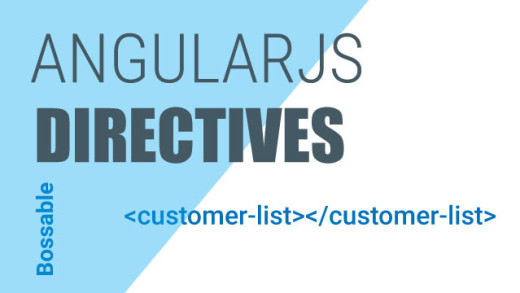
In this video we’ll create our own custom AngularJS directive. We’ll look at pulling out our list of customers and putting it into its own template, we’ll then glue the view and list back together using a directive.

We look at:
– An introduction to directives
– Locating Angular directives within our code
– Different types of directives
– The AngularJS documentation on directives
– Referring to directives using camel-case
– Creating our own custom elements/tags
– Moving our reusable code into a template
– Gluing our custom elements and template together using a directive
– Cleaning up our customer routes

MEAN Stack – Style our AngularJS Create Modal & Delete Customers – Day 26

1164 2

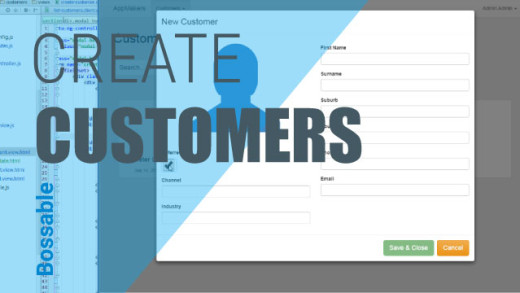
In this video we’ll style our AngularJS Create Customer Modal, and create our first customer using our new Modal. We’ll then add functionality to delete Customers from our list.

We look at:
– A quick recap of opening up our new Create Customer Modal
– Changing the ng-class reference for the Referred field (from danger to pink)
– Making the Surname field a required field
– Creating a reference from our model fields back to our controller
– Creating a new customer using our Create Customer Modal
– Checking our console logs to tell if our record was saved
– Refreshing the page to show our new customer record
– The functions that are still missing from our Controllers
– Adding ‘Delete’ functionality to our controller
– Adding a new button with ng-click to call the delete functionality
– Deleting a customer record from our list of customers

MEAN Stack – Express.js & Client-side Assets – Day 29

1157 0

In this video we’ll look at express.js, and how it hooks together the back-end of our MEAN app. We’ll also look at setting up client side CSS and JS assets for our app, both core and minified versions.

We look at:
– Expressjs.com documents and key pages to start with
– The different packages that make up the express portion of the MEAN Stack
– The Server.js file, and how it is used to connect off to a number of other files that run our app
– The Express.js file, and how different elements of the app files are loaded and used by Express.
– The environment files that are used to load CSS and JS assets for our app
– Loading core and minified files as assets for our app
– Loading assets and connecting to MongoDB in a production environment
MEAN Stack – Answering Q’s with CSS & AngularJS directives – Day 28

1012 3

In this video we’ll clean up our app and answer some questions sent through via email and posted on the Bossable.com site. We’ll fix some errors, pretty up our customers list, add a picklist using ng-options, and fix the alignment between channel and email.

We look at:
– Fixing some of the task errors identified by Grunt
– Using Chrome to test out adding some padding between the customer records in the customers list
– Adding a new class with padding to our customers css file
– Using ng-class to add some colours to the customers list based on the referred field.
– Increase the size of the icon on the customers list
– Adding drop down values to our app using ng-options
– The AngularJS documentation and examples for ng-options
– Adding ng-options to our controller and edit customers client view
– Testing our new picklist in the Update Customer Modal
– Fixing the alignment of fields between the Channel and Email fields.

MEAN Stack – Deploy to Nodejitsu

483 0

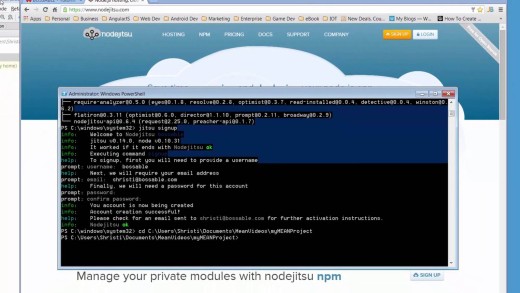
In this video we’ll deploy our app to Nodejitsu. Installing the npm package ‘jitsu’, Using the jitsu package, Updating our package.json file for Nodejitsu

Bossable - From idea to boss, with fun and friendly tutorials and videos
  • © Bossable 2015
  • Tech
  • Mean Stack
  • Contact Us
  • Privacy
  • Terms
  • Close
  • Latest
  • Store
  • Mean Stack
  • 30 Day MEAN Stack Challenge
  • Web Apps
  • Tech
  • Say Hello